How to Scan QR Code with Phone (Complete Guide 2026)
QR codes are everywhere today—from payments and menus to Wi-Fi connections and websites. The good news is you don’t need any special device to scan them. Your smartphone can do it instantly.
In this guide, you’ll learn how to scan QR codes using both Android and iPhone devices quickly and easily.
What is a QR Code?
A QR code (Quick Response code) is a type of barcode that stores information such as website links, contact details, or payment data. You simply scan it using your phone camera to access the information instantly.
How to Scan QR Code on Android
Most modern Android phones come with a built-in QR scanner in the camera.
Steps:
-
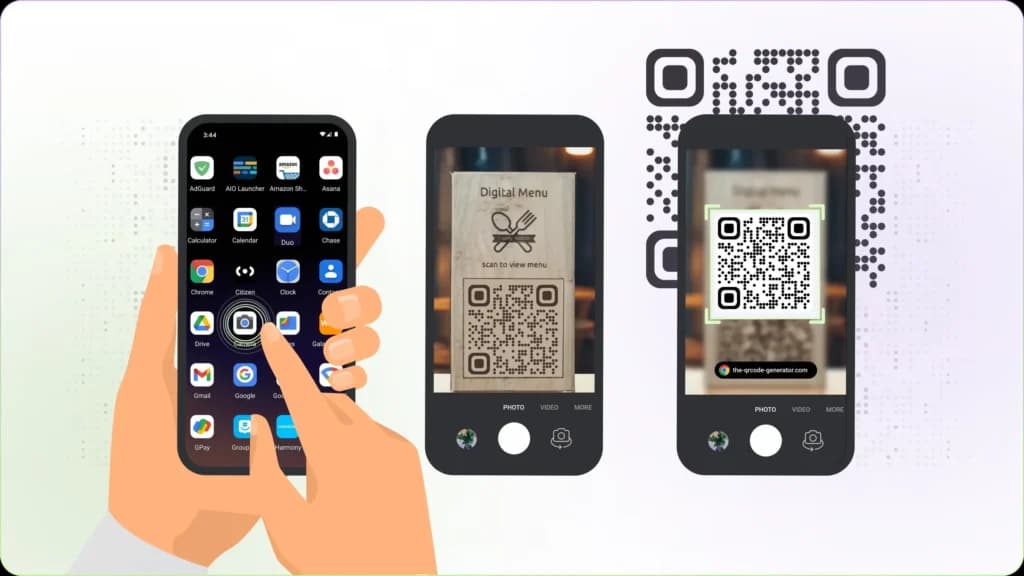
Open your phone’s Camera app
-
Point the camera at the QR code
-
Wait for a notification or link to appear
-
Tap the notification to open it
If your camera doesn’t scan automatically:
-
Open Google Lens (available on most Android phones)
-
Point it at the QR code
-
Tap the link that appears
How to Scan QR Code on iPhone
If you’re using an iPhone, scanning QR codes is very simple.
Steps:
-
Open the Camera app
-
Point it at the QR code
-
A notification banner will appear
-
Tap the banner to open the link
Alternatively, you can use the built-in Code Scanner in Control Center.
Best QR Code Scanner Apps (Optional)
If your phone doesn’t support QR scanning or you want extra features, you can download apps like:
-
Google Lens – Fast and reliable for Android
-
QR Code Reader – Simple and easy to use
-
Kaspersky QR Scanner – Adds security protection
Tips for Scanning QR Codes Easily
-
Ensure good lighting
-
Hold your phone steady
-
Keep the QR code within the frame
-
Clean your camera lens for better focus
Common Uses of QR Codes
-
Mobile payments (like M-Pesa)
-
Website links
-
Wi-Fi sharing
-
Event tickets
-
Product information
Conclusion
Scanning QR codes with your phone is quick and easy, whether you’re using Android or iPhone. With built-in camera features and apps like Google Lens, you can access information instantly with just one scan.
If your camera doesn’t work, simply install a QR scanner app and you’re good to go.