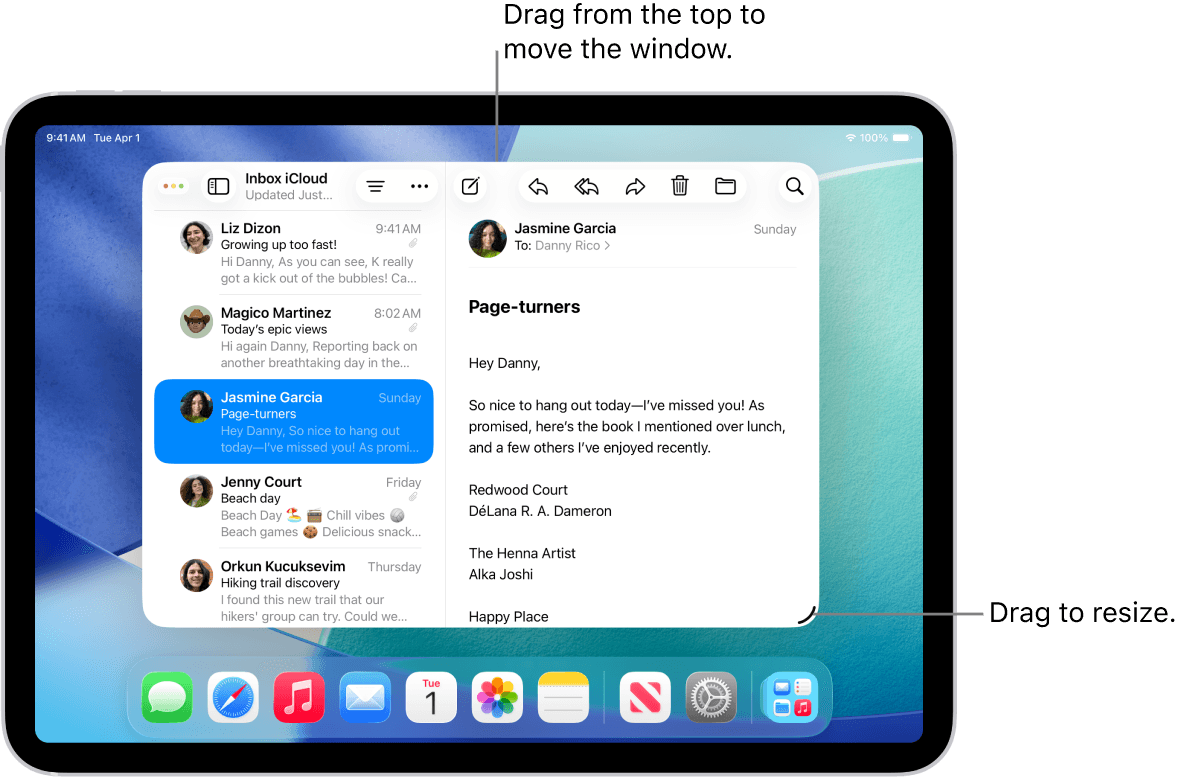
How to Split Screen on iPad
Split screen on iPad allows you to use two apps at the same time. Whether you want to browse the internet while taking notes, reply to emails while watching a video, or compare documents side-by-side, Apple’s multitasking features make it simple and efficient.
Split screen works using two main features: Split View and Slide Over, available on most modern iPads running iPadOS.
What is Split View?
Split View lets you display two apps side-by-side on your screen.
How to Enable Split View on iPad
Open your first app.
Tap the three dots (•••) at the top center of the screen.
Select Split View.
Choose your second app from the Home Screen or Dock.
Both apps will now appear side-by-side.
You can drag the divider in the middle to adjust the screen size of each app.
How to Use Slide Over on iPad
Slide Over allows a second app to float on top of your main app.
Steps to Use Slide Over:
Open your main app.
Swipe up slightly to open the Dock.
Drag a second app from the Dock onto the screen.
It will appear in a floating window.
You can swipe the floating app left or right to move it.
How to Exit Split Screen on iPad
To close split screen:
Why Split Screen is Useful
✔ Multitask efficiently
✔ Boost productivity
✔ Compare documents easily
✔ Take notes while researching
✔ Watch videos while chatting
Split screen is perfect for students, professionals, and content creators who want to save time and stay organized.
iPads That Support Split Screen
Most modern iPads support Split View, including:
iPad Pro models
iPad Air (recent generations)
iPad (5th generation and newer)
iPad mini (4th generation and newer)
Make sure your device is updated to the latest version of iPadOS for the best multitasking experience.
Final Thoughts
Learning how to split screen on iPad can significantly improve your productivity. With just a few taps, you can use two apps at once and make multitasking easier than ever. Whether for work, school, or entertainment, Split View and Slide Over help you get more done in less time.