Keyboard Settings: How to Customize and Optimize Your Typing Experience
Keyboard settings allow users to personalize how their keyboard works on smartphones, tablets, and computers. Whether you want to change the keyboard language, enable autocorrect, adjust typing speed, or customize shortcuts, keyboard settings give you full control over your typing experience. Properly configuring these settings can improve accuracy, speed, and convenience when typing messages, emails, documents, or searching online.
Understanding Keyboard Settings
Most devices today include built-in keyboard customization options. These settings let you modify typing features such as predictive text, autocorrect, keyboard layout, and language preferences. By adjusting these options, users can create a keyboard that matches their typing style and language needs.
Keyboard settings are commonly found in the device settings menu under “Language & Input,” “General Management,” or “Keyboard & Input Methods,” depending on the device.
Common Keyboard Settings You Can Adjust
1. Language and Input
Users can add multiple languages to their keyboard. This allows you to easily switch between languages when typing messages or documents.
2. Autocorrect and Spell Check
Autocorrect automatically fixes spelling mistakes as you type. Spell check highlights errors and suggests corrections, helping you type more accurately.
3. Predictive Text
Predictive text suggests words as you type, making typing faster and reducing the need to type full words.
4. Keyboard Layout
Some devices allow users to choose different layouts such as QWERTY, AZERTY, or QWERTZ, depending on their region or preference.
5. Keyboard Shortcuts
Keyboard shortcuts help users perform actions quickly, such as copying, pasting, switching apps, or opening settings.
6. Key Vibration and Sound
Many smartphones allow users to enable vibration or sound when pressing keys for better typing feedback.
How to Access Keyboard Settings
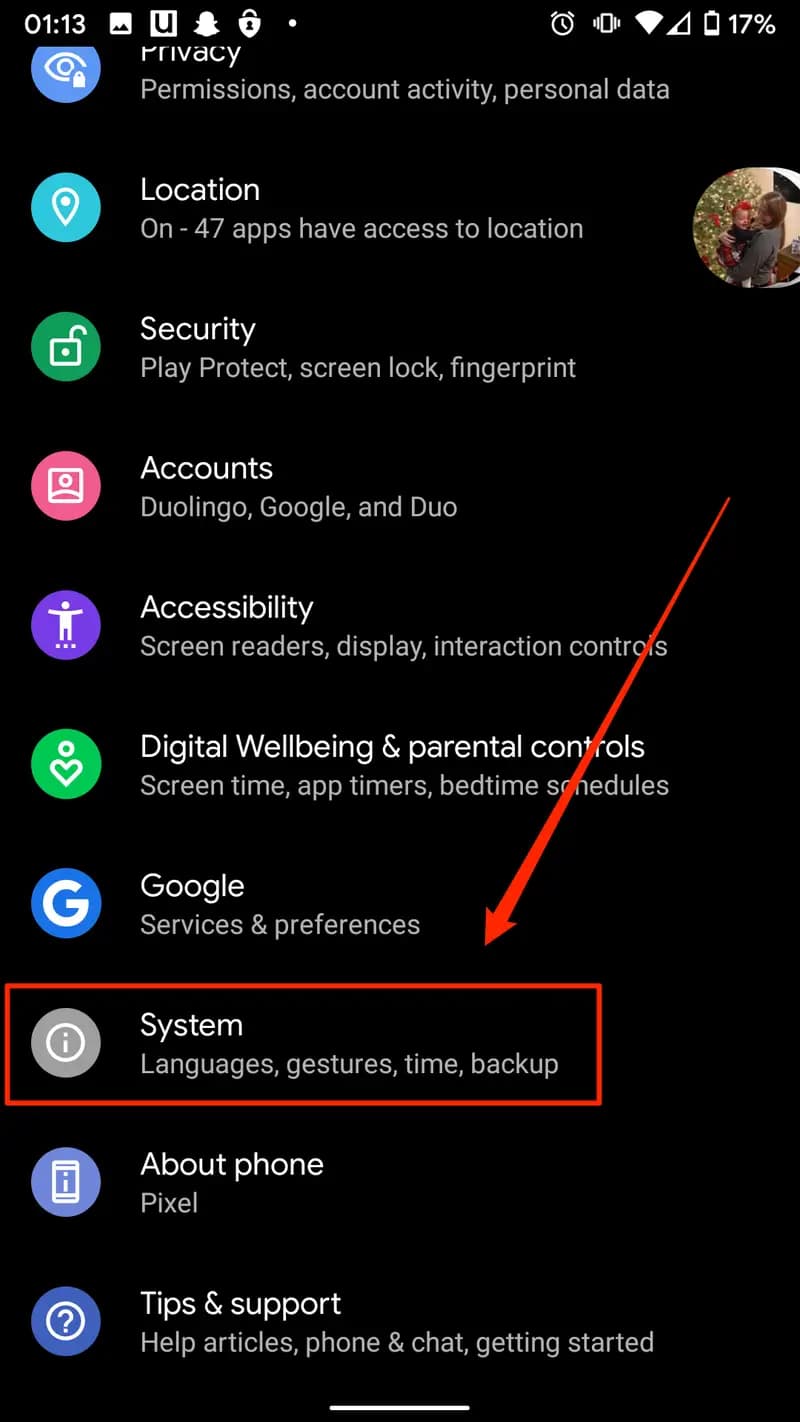
On Android Phones
-
Open Settings
-
Tap System or General Management
-
Select Language & Input
-
Tap On-screen Keyboard
-
Choose your keyboard (such as Gboard)
-
Adjust the settings you prefer.
On iPhone or iPad
-
Open Settings
-
Tap General
-
Select Keyboard
-
Customize features such as autocorrect, predictive text, and keyboard shortcuts.
On Windows Computers
-
Open Settings
-
Select Time & Language
-
Click Typing or Language
-
Adjust keyboard preferences and input methods.
On Mac Computers
-
Open System Settings
-
Select Keyboard
-
Customize shortcuts, typing preferences, and input sources.
Benefits of Customizing Keyboard Settings
Customizing keyboard settings can significantly improve your typing experience. Users can type faster, reduce spelling mistakes, and switch between languages easily. These settings also make devices more comfortable and efficient for daily communication and work.